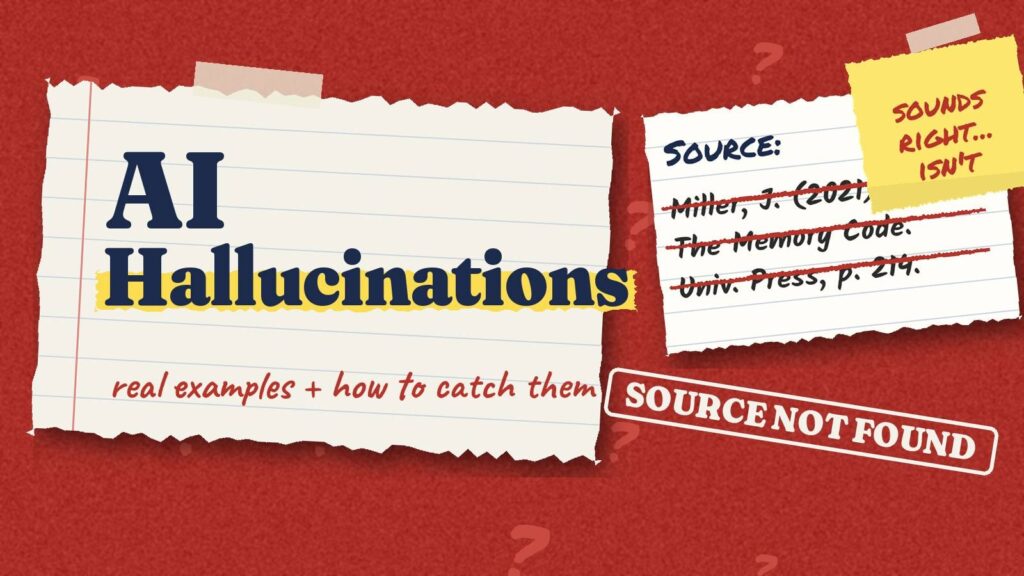
Ask an AI chatbot for three sources on a topic and it may give you three perfectly formatted references: author, year, title, page number. They look real. Sometimes one of them does not exist at all.
That is an AI hallucination: the tool produces information that sounds right but is false, and presents it with the same confidence as everything else. For teachers, it is one of the most important things to understand about AI, because students tend to trust confident text. This guide walks through real examples, why they happen, and a simple check you can teach in one class period.
Quick answer: an AI hallucination is false information an AI tool presents as fact, like fake citations, invented quotes or wrong numbers. The fix is to check, not to ban.
- It happens because chatbots predict likely words; they don’t look facts up by default.
- Even lawyers, newspapers and consultants have been caught.
- A 5-step check catches most of it.
- It makes a memorable 20-minute class activity.
Why AI makes things up
Chatbots like ChatGPT, Gemini or Claude are built on language models. In simple terms, they generate text by predicting what words are likely to come next, based on patterns in a huge amount of training text. They are very good at producing text that sounds like a correct answer. But sounding right and being right are not the same thing.
When the model does not have reliable information, it does not always say “I don’t know.” It may fill the gap with something plausible: a realistic book title, a believable statistic, a quote that fits the style of the person. The tone stays just as confident, which is exactly why hallucinations are easy to miss.
3 real AI hallucination examples
These cases are well documented, and each one teaches a different lesson.
1. Lawyers cite court cases that never existed (2023)
In a personal injury case against the airline Avianca in New York, lawyers filed a brief that cited several court decisions generated with ChatGPT. The other side could not find them, and neither could the court: the cases, quotes and citations were fake. In June 2023, the judge fined the lawyers and their firm $5,000. He noted that using AI is not improper in itself, but that lawyers remain responsible for the accuracy of what they file (LawNext).
Lesson: a citation that looks official is not proof. Someone has to check that it exists.
2. A newspaper recommends books that don’t exist (2025)
In May 2025, a summer guide inserted in the Chicago Sun-Times published a reading list of 15 books. Ten of them did not exist. The authors were real, but the titles and plot summaries were invented. The newspaper confirmed that a freelancer working for a content partner had used an AI tool to write the list, and apologized (CBS News).
Lesson: hallucinations often mix true and false details. A real author name makes a fake book feel real.
3. A government report with invented references (2025)
Deloitte Australia produced a report for an Australian government department, a contract worth about A$440,000. A university researcher noticed references to academic works that did not exist and a fabricated quote from a federal court judgment. A corrected version was published, disclosing that a generative AI tool had been used, and the firm agreed to a partial refund (AP via Fortune).
Lesson: even large, professional organizations get caught. Checking sources is not a beginner’s task, it is everyone’s task.
The kinds of hallucinations students will meet
In a classroom, hallucinations rarely look dramatic. They usually look like one of these:
- Fake citations: real-sounding articles, books or websites that do not exist, or real ones that do not say what the AI claims.
- Invented quotes: words put in the mouth of a historical figure, a scientist or an author.
- Wrong numbers and dates: a statistic that is slightly off, or an event placed in the wrong year.
- Confident math errors: a clean step-by-step solution with one wrong step in the middle.
- Blended facts: details from two different people, events or books mixed together.
- Outdated information: something that used to be true, like an old price or a tool’s former name.
The 5-step AI fact-check
Here is a routine simple enough for middle school and useful enough for adults. Post it next to your classroom computers.
The 5-step AI fact-check
Pick one AI answer you want to use and tick each step as you do it.
0 of 5 checked
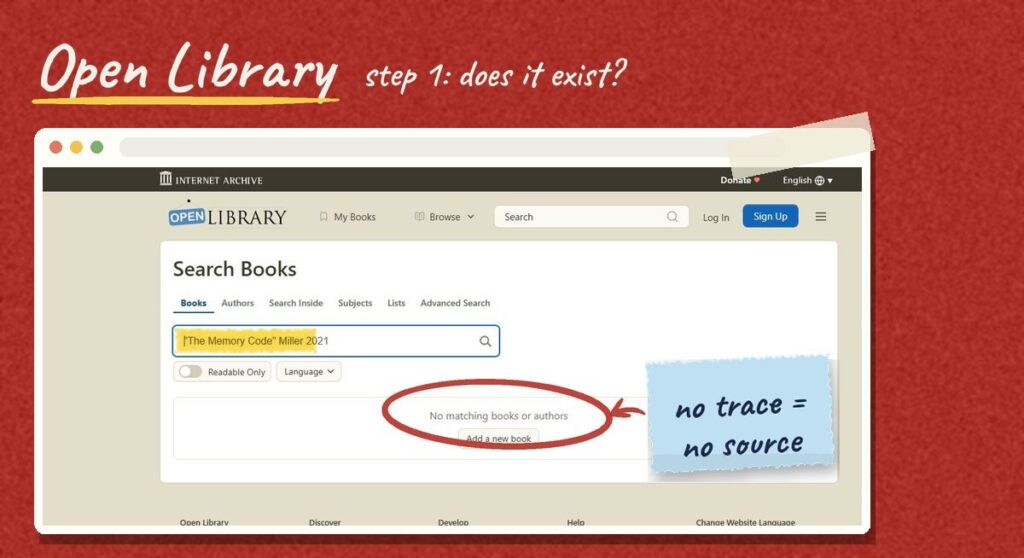
- Does the source exist? Search for the exact title in a library catalog, Google Scholar or the publisher’s site. No trace means no source.
- Open it. Does it say what the AI says? Real sources are sometimes misquoted. Find the actual sentence.
- Check names, dates and numbers. These are the details AI gets wrong most often, and the ones that matter most.
- Search it somewhere else. Professional fact-checkers call this lateral reading: instead of trusting one page, they open new tabs to see what other reliable sources say.
- Still unsure? Leave it out, or say so. “I could not verify this” is an honest, grown-up answer.
A 20-minute classroom activity: catch the hallucination
You can turn this into a quick, memorable lesson:
- Before class, ask an AI tool to write a short paragraph on a topic you are teaching, with three sources.
- Give students the paragraph without telling them what is wrong, if anything.
- In pairs, students run the 5-step check on each source and each number.
- Debrief: what was real, what was invented, and how could they tell?
Students usually remember this lesson far better than a warning, because they catch the error themselves. If you want a ready-made unit on this skill, our workbook on AI fact-checking is available in the Worksheet365 store on Teachers Pay Teachers.
Our AI fact-checking workbook turns this into a full, printable unit.
Do some tools hallucinate less?
Tools that answer from a fixed set of sources and show citations, like Gemini Notebook (formerly NotebookLM), make checking much easier because every claim points back to a passage. They reduce the problem, but they do not remove it. Our NotebookLM guide shows how to use the citations. The same caution applies when you generate class material: see the checklist in our guide to AI worksheet generators.
Frequently asked questions
What is an AI hallucination in simple terms?
It is when an AI tool makes up information, such as a fact, a quote or a source, and presents it as if it were true.
Why does ChatGPT make up citations?
Because it generates text that looks like a likely answer. A citation has a very predictable format, so the model can produce one that looks right even when no such source exists.
Can AI hallucinations be completely prevented?
Not today. Better tools and better prompts reduce them, but a person still needs to verify anything important.
Should students stop using AI because of hallucinations?
Not necessarily. Many schools allow some AI use. The key skill is verification, and it is worth teaching explicitly. Always follow your school’s AI policy.
The bottom line
AI hallucinations are not rare glitches. They are a normal side effect of how these tools work. The answer is a habit, not a ban: check that sources exist, read them, verify the details and be honest about what you cannot confirm. Teach those five steps once, and your students will use them long after the tools change.
Find more on detectors, citations and responsible AI use in our AI & Integrity section.