Free Rubric Maker for Teachers (+ How to Write Criteria That Actually Teach)
Build a rubric in minutes with our free rubric maker: 4 starter rubrics, a wording checker, print, copy to Google Docs or Word, or download as CSV. Plus a worked example and research-backed tips.
Learning Guides · Teaching Tools · Rubric maker
A good rubric does two jobs at once. It tells students what quality looks like before they start, and it makes your feedback faster and fairer once the work comes in. The free rubric maker below gives you a ready-to-edit grid in seconds: pick a starter, change any cell, then print it, paste it into Google Docs or Word, or download it as a spreadsheet. It also checks your wording and flags the two most common rubric mistakes as you type.
free rubric maker · no sign-up
Build your rubric
Pick a starter, edit any cell, then print it, copy it into Google Docs or Word, or download it as a spreadsheet. The checker flags criteria that count things or read like task directions.
↔ Swipe the table sideways to see every level.
Tip: describe what the work does at each level (“explains why the evidence supports the claim”), not how many things it has (“3 sources”) or a label (“excellent”).
Before you hand it in, check:
Your rubric stays in this browser. Nothing is uploaded, and the tool never grades student work: you do.
Quick answer: a rubric is a set of criteria (the qualities you’re looking for) plus a description of each performance level for every criterion (Brookhart, 2018). The best ones describe what the work does at each level instead of counting things or using labels like “good”.
- Use 3 to 5 criteria that match the learning goal, not the task directions.
- Describe each level in plain language a student can act on.
- Pick analytic (one row per criterion) for feedback, holistic (one overall description) for speed.
- Share the rubric before the work starts, and let students check their own draft against it.
What makes a rubric actually useful
Education researcher Susan Brookhart reviewed 46 studies of rubrics used in higher education and boiled the definition down to two parts: a coherent set of criteria, and descriptions of performance levels for those criteria (Brookhart, 2018, Frontiers in Education). A list of criteria without level descriptions is a checklist. A scale with labels but no descriptions is a rating scale. Both have their place, but neither tells a student how to get better.
Her review also points to the most common design mistake: criteria that describe the task instead of the learning. “Has three sources” can be met by a student who picks three weak ones. “Uses a variety of relevant, credible sources” describes the skill you actually want. Brookhart warns that task-direction criteria misdirect student effort and mis-measure learning. That’s exactly what the checker in the tool above looks for.
| Instead of this (task or count) | Write this (quality of learning) |
|---|---|
| Has 3 sources | Uses a variety of relevant, credible sources |
| 5 paragraphs | Each paragraph has one job and moves the argument forward |
| Includes a graph | Chooses a graph that makes the pattern in the data clear |
| Fewer than 3 spelling errors | Errors are rare and never get in the way of meaning |
| Excellent use of evidence | Explains how each piece of evidence supports the claim |
Analytic or holistic: which rubric should you use?
Brookhart puts the difference simply: analytic rubrics consider criteria one at a time, while holistic rubrics consider all the criteria together and give one overall judgment. The maker above builds analytic rubrics, because they give students the most specific feedback. You can still use it for a holistic rubric: keep one criterion called “Overall” and describe the whole piece of work at each level.
| Analytic rubric | Holistic rubric | |
|---|---|---|
| Looks like | A grid: one row per criterion, one column per level | One column of level descriptions for the whole work |
| Best for | Drafts, feedback, teaching a new skill | Quick end-of-unit judgments, large batches |
| Student sees | Exactly which part to improve | One overall level |
| Grading time | Longer | Shorter |
How to build a rubric in 5 steps
- Start from the learning goal. Write down the 1 or 2 standards the assignment is meant to show. Every criterion should point back to one of them.
- Choose 3 to 5 criteria. Fewer is easier to use and to explain. Merge anything that overlaps.
- Write the “Proficient” level first. Describe what solid, on-target work does. Then write the level above (what goes further) and the levels below (what’s missing or partial).
- Test it on real work. Score two or three past samples. If you hesitate between two levels, the wording isn’t clear enough yet.
- Share it before the work starts. Hand it out with the assignment, and turn the “Proficient” column into a student self-check (the tool does this for you).
A full worked example
Here’s the persuasive essay starter in action. The paragraph below is fictional, written for this example by a made-up 8th grader we’ll call Student A. The prompt: Should our school start later in the morning?
“School should start later because teenagers are tired. A lot of my friends say they fall asleep in first period. Also, buses are early and it’s dark outside in winter. If school started at 9, everyone would be happier and get better grades. That’s why we should change the start time.”
Now read it against the four criteria, one at a time. You make the call; the rubric just keeps the call consistent.
| Criterion | Level | Why, in the rubric’s own words |
|---|---|---|
| Claim | Proficient | States a clear, arguable position (“school should start later”) and keeps it to the end. |
| Evidence | Developing | Gives evidence that is loosely related to the claim: friends’ anecdotes and dark mornings, but nothing credible about sleep. |
| Reasoning | Beginning | Repeats the evidence without explaining it. “Happier and better grades” is asserted, not explained. |
| Organization | Developing | Ideas follow each other, but “also” is the only transition and there are no separate paragraphs. |
Turn the rubric into feedback in 2 minutes
The level descriptions double as feedback. Take the gap between where the work is and the next level up, and turn it into one next step. For Student A:
- Glow: “Your position is clear from the first sentence and you stick to it. That’s the hardest part.”
- Grow (Evidence): “Your friends’ experience is a start. Can you find one source that says how much sleep teenagers need?”
- Grow (Reasoning): “After each piece of evidence, add a sentence that starts with This matters because…“
Two “grows” is plenty. Pick the criteria that will move the next draft the most, not every gap at once.
A rubric that students only see after grading is a score sheet. Shared before the work, it becomes a map.
Worksheet365
Do rubrics really help students learn?
Mostly yes, with a caveat. In Brookhart’s review, all 13 studies that looked at learning or motivation reported positive effects, though she notes that positive results are more likely to get published. Earlier reviews she cites reach a similar, careful conclusion: Reddy and Andrade (2010) found rubrics have supported learning, though not in every study, and Panadero and Jonsson (2013) describe how they help: they make expectations transparent, can lower anxiety, support feedback, and help students plan and check their own work.
The common thread is how the rubric is used. Handing it out at the end does little. These habits make the difference:
- Show examples. Score one anonymous sample together as a class before students start.
- Co-write one criterion. Ask students what “strong evidence” looks like and use their words in a level.
- Build in self-checks. Students tick the “Student self-check” list before they hand in a draft.
- Reuse the rubric. The same criteria across several assignments let students see their own progress.
Our ready-to-teach lessons on note-taking, test anxiety and spaced practice come with slides, student pages and activities, so you can skip the prep.
Other free rubric tools worth knowing
Our maker is for quickly drafting, printing and sharing a rubric. If your school runs on a learning platform, it’s worth building the final version there too, so scores land in your gradebook. We’re not affiliated with any of these.
| Tool | Good for | Keep in mind |
|---|---|---|
| Worksheet365 rubric maker (this page) | Fast drafts, printing, copying into Docs or Word, wording checks | No gradebook: scores stay on paper or in your own files |
| Google Classroom rubrics | Attaching a rubric to an assignment and scoring inside Classroom | Works inside Classroom assignments |
| Canvas rubrics | Schools on Canvas; rubrics feed SpeedGrader | Needs a Canvas course |
| Microsoft Teams Assignments | Schools on Microsoft 365 | Needs a Teams class |
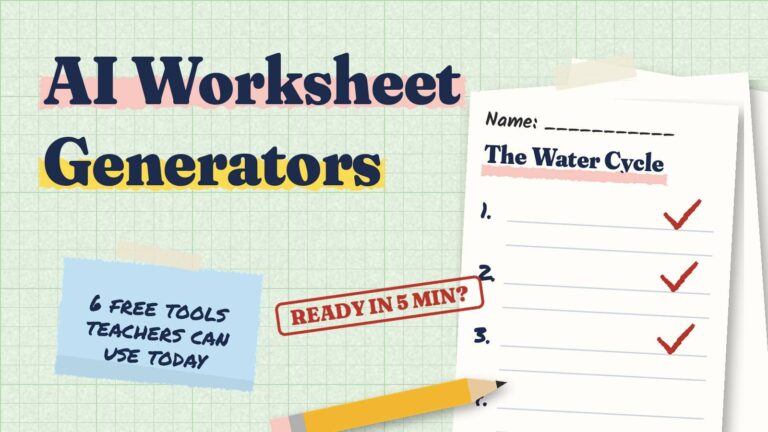
| AI rubric generators (Brisk, MagicSchool and others, compared in our AI worksheet generator guide) | A first draft from a prompt | Check every level: AI drafts often count things or use vague labels. Run them through the checker above. |
One study tip a day, in under a minute.
Follow Worksheet365 where you scroll:
Share it with your students too
Rubrics work best when students also plan and track their own work. A few things you can point them to:
- The free final exam calculator, so they know where they stand before finals.
- Our guide to why big projects always run late, with a 3-step fix. It’s useful when you set long-term deadlines.
- The Semester Grade Tracker and Exam Study Planner, for older students who want everything in one place.
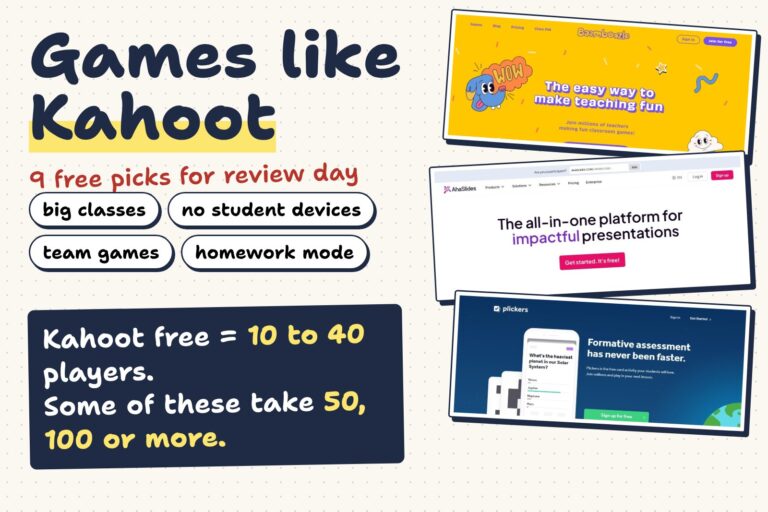
Want students to practice before the rubric comes out? Our list of games like Kahoot has 9 free review games, from 1:1 quizzes to team games you can run from one screen.
Frequently asked questions
What are the 2 parts of a rubric?
Criteria (the qualities you’re judging, like “evidence” or “organization”) and performance level descriptions (what the work looks like at each level for each criterion). Without the descriptions, it’s a checklist or a rating scale.
How many levels should a rubric have?
Three to five. Four is a popular choice because an even number avoids a “middle” level that is easy to default to. Use fewer levels for younger students or quick tasks.
How do I turn a rubric score into a grade?
Rubric levels aren’t percentages, so don’t divide points blindly: 2 out of 4 is 50%, which would usually be an F for work that is “developing”. Decide in advance which total range matches each grade, or use your school’s conversion chart.
Does this tool grade student work?
No. It builds and checks the rubric only. You read the work and choose the level. Nothing you type is uploaded: the rubric is saved in your own browser.
Can I use the rubric in Google Docs or Word?
Yes. Click “Copy for Docs / Word” and paste: it arrives as a formatted table. Or use “Download CSV” to open it in Google Sheets or Excel, or “Print / save as PDF” for a paper copy.
Can students use it?
Yes. Students can open the self-check list and use it on a draft before handing it in. Some teachers ask students to build their own rubric for a project and then compare it with the teacher’s version.
The bottom line
Pick 3 to 5 criteria tied to what students should learn, describe each level in words a student can act on, and share the rubric before the work starts. The maker above takes care of the layout, so your time goes into the wording that matters.
Which criterion is hardest for you to describe? Creativity, effort, collaboration? Tell us in the comments below, and we’ll write sample level descriptions for the most-requested ones in a future update.
Get the 24-page Study Starter Kit: planners, quizzes, a 30-day challenge and a focus timer to share with your class.
Sources: Brookhart, S. M. (2018). Appropriate criteria: Key to effective rubrics. Frontiers in Education, 3, 22. doi.org/10.3389/feduc.2018.00022. Reddy, Y. M., & Andrade, H. (2010) and Panadero, E., & Jonsson, A. (2013) are cited as summarized in Brookhart (2018). The student paragraph in this article is fictional.